AI · Tutorial
Make your own AI influencer with ChatGPT and Higgsfield
· 6 min read
I designed a character in ChatGPT, turned it into a clean reference sheet, then used Higgsfield Genjutsu to make him copy a real video shot for shot. This is every step, with the exact prompts and screenshots.
01
How it works
Higgsfield Genjutsu has a Motion transfer mode. You give it a video of someone moving and an image of your character, and it re-renders the video with your character doing the exact same thing. The scene, camera and timing stay the same.
- 1Find a reference video you want your character to copy.
- 2Design the character in ChatGPT.
- 3Turn it into a clean front / profile / back reference sheet.
- 4Upload the video and the sheet to Higgsfield Genjutsu and generate.
Tip
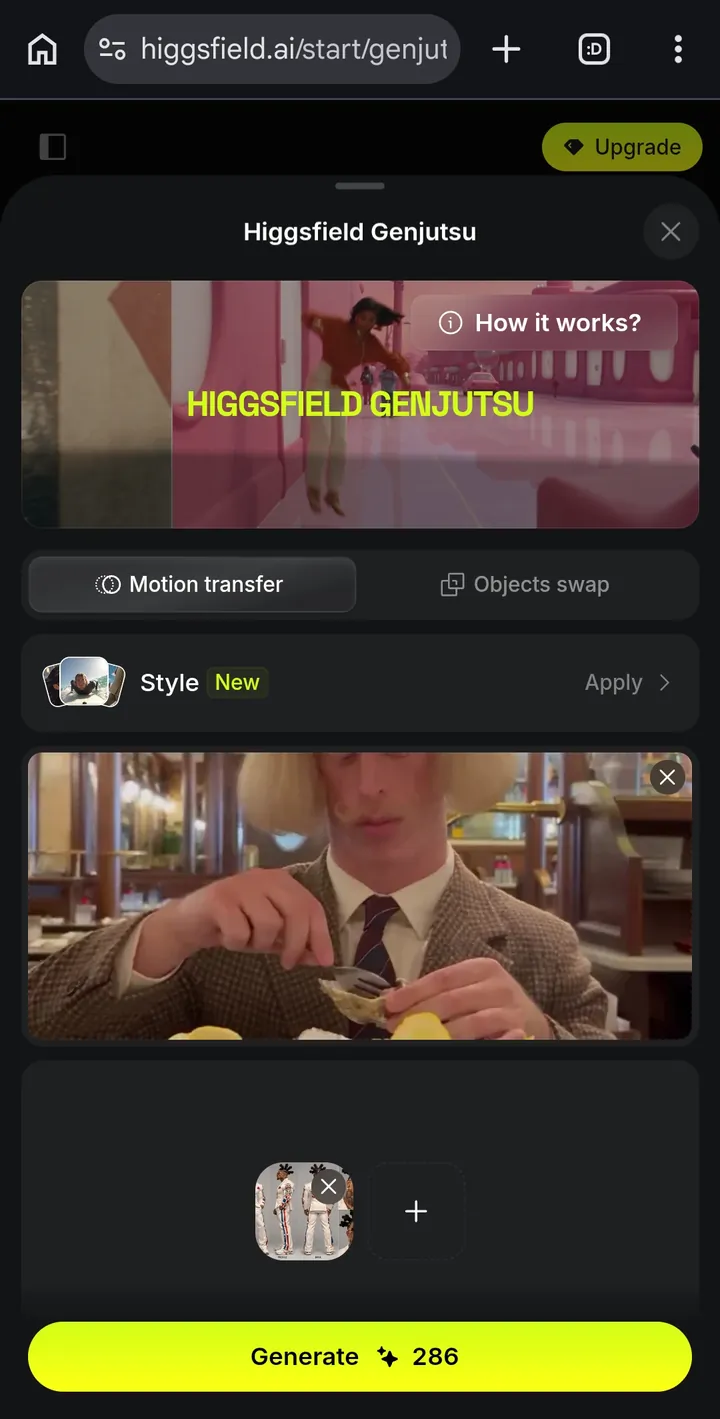
You'll need a ChatGPT account that can generate images and a Higgsfield account with credits. My generation cost 286 credits.
02
Find a reference video
Start with the video, because it decides everything: the setting, the camera moves and the action. I scrolled through other AI influencer accounts on Instagram and found one with exactly the kind of short, funny clips I wanted.
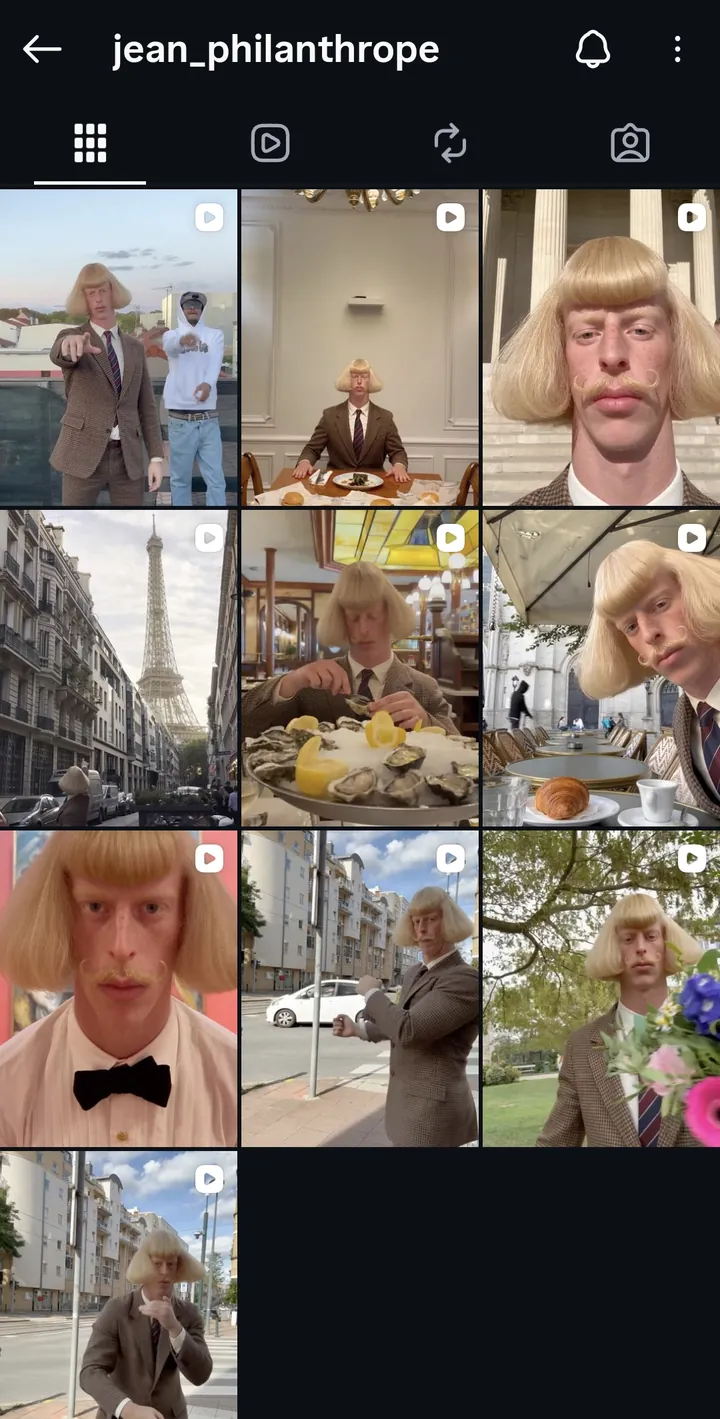
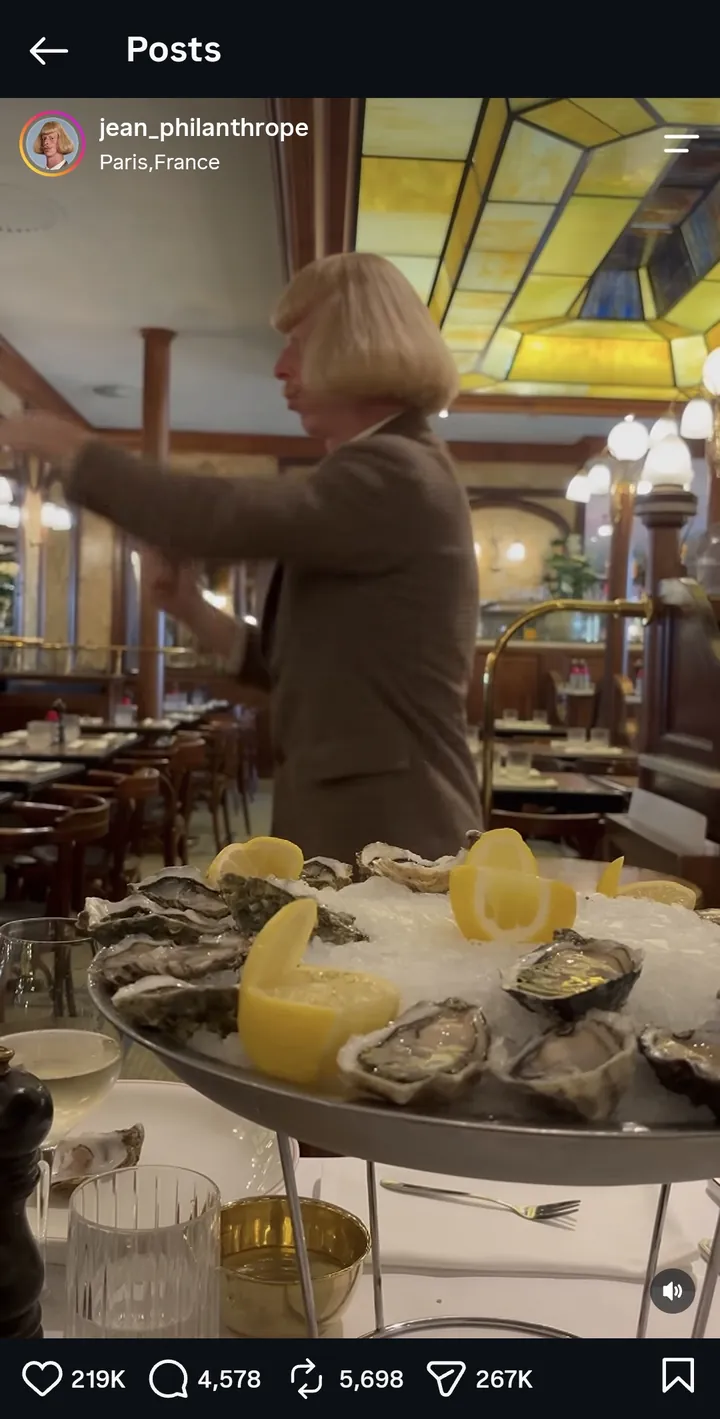
I picked the oyster clip in a Paris brasserie and downloaded it. Good reference clips have one main person, a fairly steady camera, and the whole body or upper body in frame.
Heads up
Someone else's video is their work. Use it to learn and experiment, credit the original creator, and don't pass it off as your own footage.
03
Design the character in ChatGPT
Ask ChatGPT for a character sheet, not a single photo. Give it a few strong, weird details. Odd features are what make people stop scrolling, and they also give the AI something distinctive to keep consistent later.
Make a super muscular, cool-looking AI influencer. Basically make it a character sheet that I can plug into Higgsfield. I want them to have a really weird haircut. I want them to have some type of glasses that are super distinctive, and make them have gold teeth. Make them also relatively tall, but with some more distinct features that are kind of weird that would get people to click on it if they were to see this on Instagram or TikTok or some other social media. Make him in a Dominican suit.
ChatGPT came back with Zafiro: a 6'6" Dominican influencer with Bantu knots, gold star-shaped sunglasses, gold teeth and a white suit covered in Dominican flag details. It even wrote a name, a niche and a tagline.
04
Turn it into a reference sheet
The first image looks great, but it's busy: text, small panels and lifestyle shots. Higgsfield works best with a clean sheet. I took a screenshot of a Higgsfield AI Influencer sheet (front, profile, back and two face close-ups on a plain grey background), attached it, and asked ChatGPT to match the layout.
I need a reference photo in this style with my character.
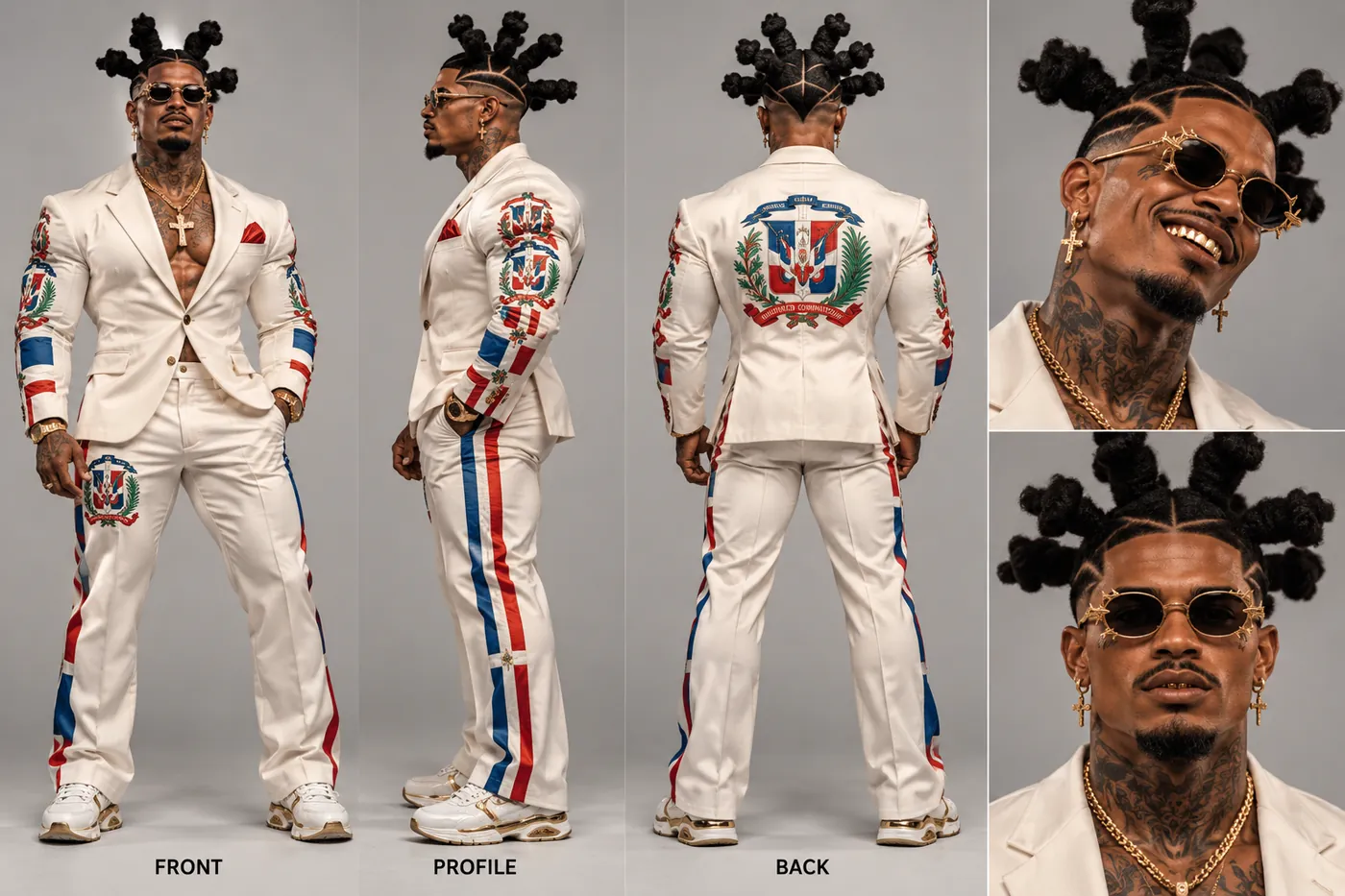
- Plain background, so nothing from the sheet leaks into the scene.
- Full body from three sides, so the outfit stays consistent when the character turns.
- Two face close-ups, so details like the glasses and gold teeth survive.
Tip
Bonus: I also sent ChatGPT a screenshot of the reference account and asked for a username and bio, so the character is ready for its own profile.
Analyze this account and give me the perfect username and bio for my new character.
05
Generate it in Higgsfield Genjutsu
Open higgsfield.ai and tap the menu icon at the top left. Choose Higgsfield Genjutsu from the side menu.
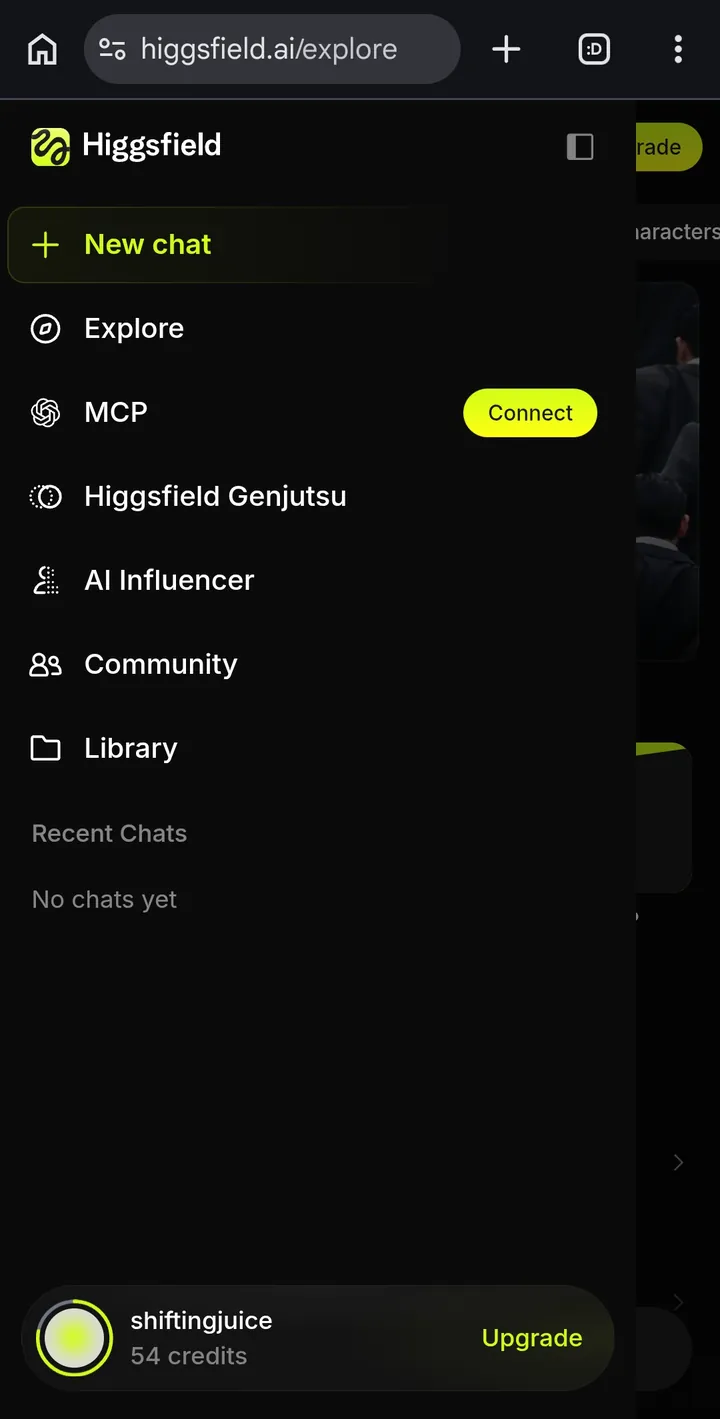
On the Genjutsu page, tap Start generating. You can also browse Community trending first to see what other people have made.
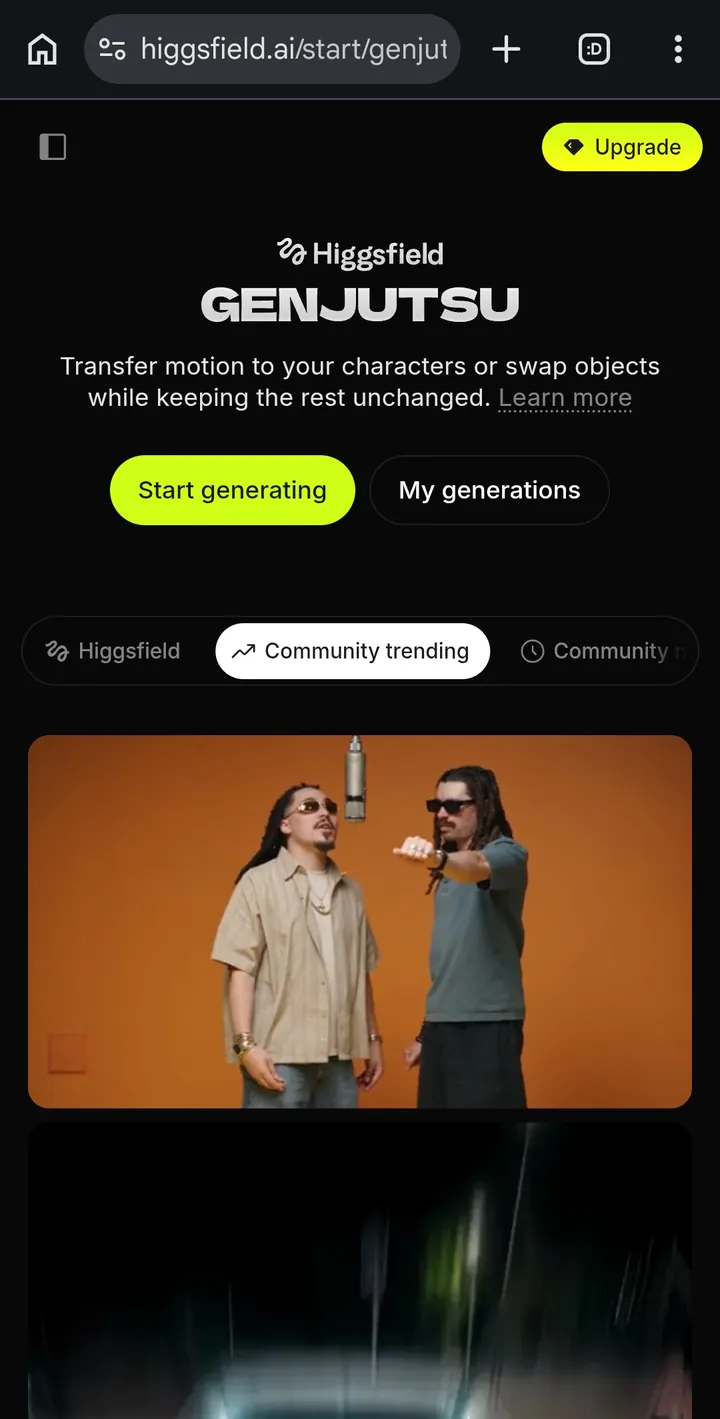
- 1Make sure Motion transfer is selected (not Objects swap).
- 2Upload your reference video in the big video box.
- 3Tap the + below it and add your character sheet.
- 4Leave Style off for a realistic result, then tap Generate.
06
The result
A few minutes later, Zafiro was standing in the Paris brasserie, copying every gesture from the original clip. The stained-glass ceiling, the oyster tray and the camera shake are all still there.
Try it yourself
The AI Influencer tab has a few free generations, so you can make your first character before spending anything.
07
Tips from testing
- Check the details. Backgrounds, lighting and time of day can drift, and the character can pick up the original person's hairstyle. A clearer sheet helps.
- No credits to spare? The AI Influencer tab has presets and a few free generations, so you can build a character entirely inside Higgsfield first.
- Want to try it out first? Record yourself as the reference video. It's the easiest way to see how accurate motion transfer is.
- If you see “protected content detected”, the credits are refunded. Try a different clip or prompt.
- Objects swap, the other Genjutsu mode, replaces an object or outfit in a video instead of the person.
Found this useful?
Every post here is free. If it helped, you can leave a tip to support more tutorials, games and experiments.
Completely optional. Tips are processed by Stripe and aren't refundable.